

I Started Building the Missing Layer in AI-Native Product Design
How I’m turning scattered AI UX decisions into a reusable system for designing human–AI interaction patterns.

A few weeks ago, I kept thinking about a strange gap in how we design AI products.
Not only the big “ChatGPT-style” products.
I mean the smaller AI moments that are now showing up inside everyday tools:
a smart suggestion,
an AI-powered workflow,
a generated summary,
an agentic action,
or simply one moment where a human and AI need to work together.
And this is where I started seeing the problem. ⚠️⁉️
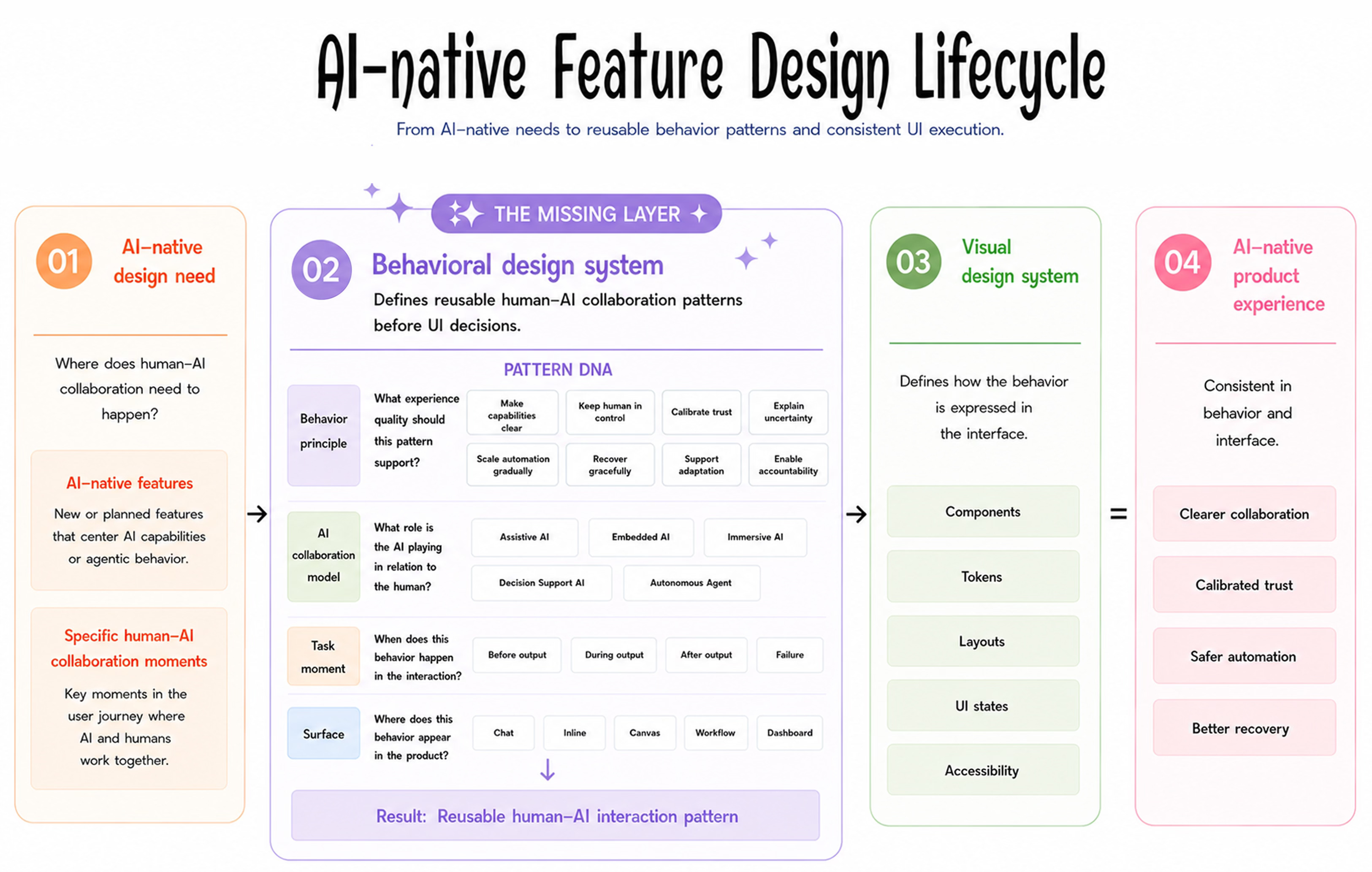
Currently, when teams design an AI-native feature, they often move from:
1️⃣ AI-native design need
A new feature, or a specific moment where human–AI collaboration needs to happen.
to:
2️⃣ Visual design system
Components, tokens, layouts, UI states, accessibility, and all the interface rules we already know how to reuse.
to:
3️⃣ Product experience
The final AI-powered feature people actually use.
But something is missing in the middle. 👀
The missing step was not visual. It was behavioral.
Before we decide how the interface should look, we need to decide how the AI and the human should work together.
Should the AI suggest, ask, or act?
When should a human approve something?
How should uncertainty be shown?
What happens when the AI gets something wrong?
How much control should the user have?
Who is responsible for the final decision?
These are not visual design system questions.
They are behavior questions.🤖👩
That’s where messy AI experiences quietly start
If every team answers them from scratch, feature by feature, things can quietly become messy.
🔺🔺🔺
One AI feature asks for confirmation.
Another acts automatically.One explains uncertainty.
Another hides it.One gives users a way to recover.
Another leaves them stuck.
None of these decisions may look dramatic on their own.
But together, they shape whether a product feels trustworthy, understandable, and safe to use.
🤍😇✔️
So this became the question for me. 👇👇👇
What if AI products need a behavior layer before the visual design layer?
That was the starting point for my Behavioral Design System. 🤖✨
A source of truth for designing, documenting, and reusing human–AI interaction patterns before UI decisions.
The visual above is the simplest way I currently explain it:
AI-native design need
👇
✔️ Behavioral Design System
👇
Visual Design System
🟰
AI-native product experience
The Behavioral Design System does not replace the visual design system.
It sits before it.
It helps teams define the collaboration first, so the final product is not only visually consistent, but behaviorally consistent too.
What I mean by a Behavioral Design System
🎨 A traditional design system helps teams reuse interface decisions.
❇️A Behavioral Design System helps teams reuse human–AI collaboration decisions.
🎨 In a visual design system, the reusable unit is often a component.
❇️In a Behavioral Design System, the reusable unit is an interaction pattern.
Not just:
What should this look like?
But:
How should this moment work?
For example, if an AI assistant is about to take an action:
Should it ask first?
Should it show a preview?
Should it explain why it chose that action?
Should the user be able to edit before confirming?
Should there be an undo path?
These are not just interface details.
They are behavior decisions.✔️
And if those decisions repeat across the product, they deserve to be documented as patterns.
Not a component library.
Not another AI UX checklist.
More like a shared place for the moments where humans and AI need to coordinate.
Then I gave each interaction pattern its own DNA
One thing I wanted to avoid was turning this into a random list of AI UX ideas.
Because AI interaction patterns can get messy very quickly.
A pattern can support trust.
It can happen before an AI output.
It can appear inside a chat interface.
It can belong to an assistive AI model.
So each pattern is classified in four lenses.
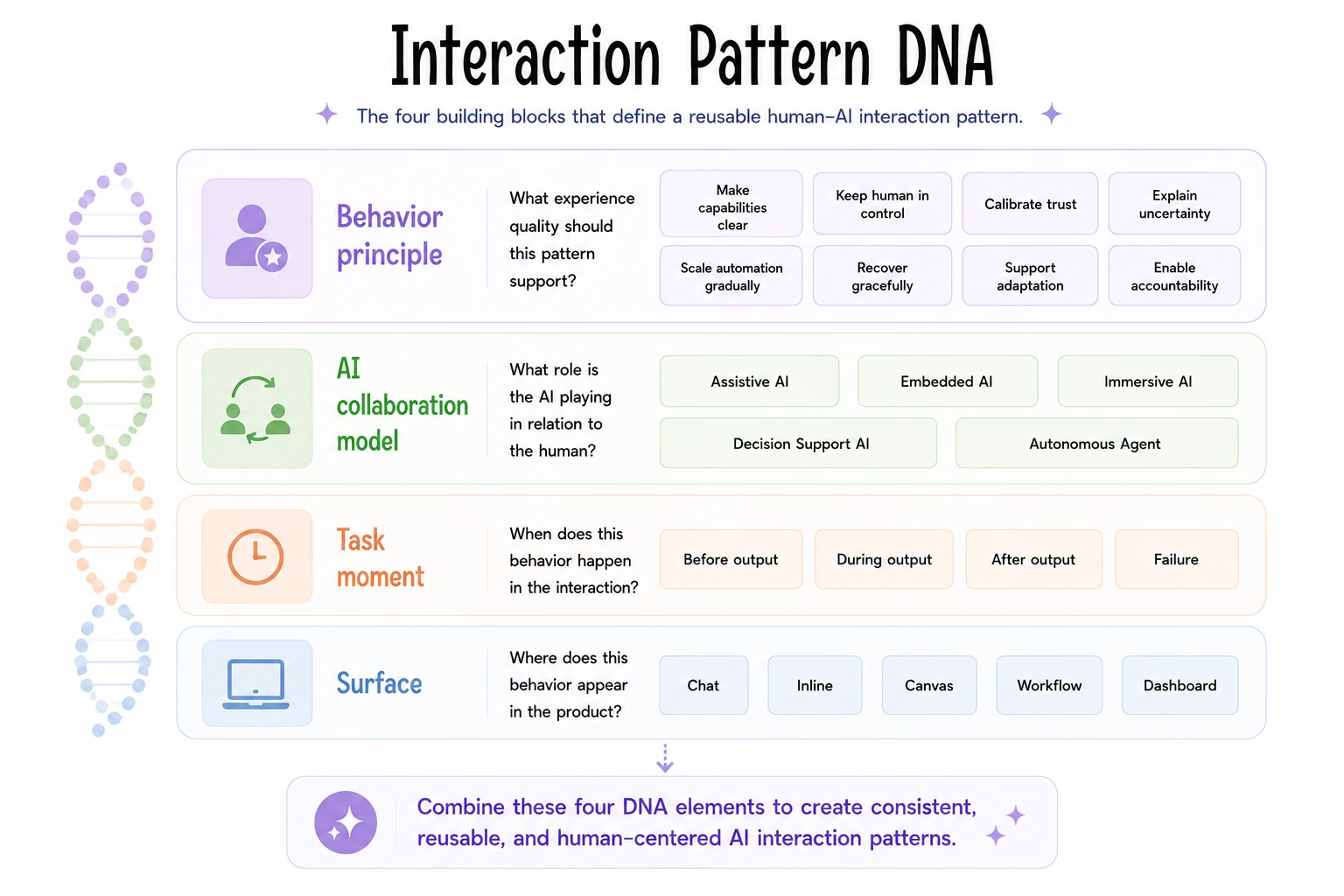
1. The first lens: Behavior Principle
This describes the experience quality the pattern supports.
Make capabilities clear: Help users understand what the AI can do, cannot do, and when human judgment is needed.
Preserve human control: Let users approve, edit, stop, undo, or override AI behavior.
Calibrate trust: Prevent both overtrust and undertrust by matching AI behavior with evidence, confidence, and context.
Explain uncertainty: Make confidence, reasoning, sources, limitations, and missing information visible when the AI output may be incomplete or uncertain.
Scale automation gradually: Increase AI autonomy only when the task, risk level, and user confidence support it.
Recover gracefully: Help users retry, correct, reverse, or escalate when the AI is wrong, blocked, or incomplete.
Support adaptation: Let the system learn from user feedback, preferences, corrections, and repeated behavior without becoming opaque.
Enable accountability: Make actions, responsibility, ownership, and history traceable across human and AI decisions.
This helps teams understand the purpose behind the pattern.
2. The second lens: AI Collaboration Model
This describes the relationship between the human and the AI in that moment.
Assistive AI: AI supports a user-led task with suggestions, drafting, shortcuts, or small actions. The human stays in charge of the goal, decision, and final action.
Embedded AI: AI is built into an existing product flow. It improves a specific step without becoming the main experience.
Immersive AI: AI becomes the primary workspace or active collaborator. The user works with it through ongoing back-and-forth interaction.
Decision Support AI: AI analyzes information, compares options, or highlights risks so the human can make a better decision. The AI informs; the human decides.
Autonomous Agent: AI can take action across steps or systems within defined boundaries. The human sets the goal, permissions, and oversight conditions.
This matters because the same pattern may behave differently depending on how much agency the AI has.
3. The third lens: Task Moment
This describes where the pattern sits in the interaction timeline.
Before outputBefore AI generates, acts, or executes.
During outputWhile AI is generating, suggesting, or working.
After outputAfter AI gives a result and the user reviews it.
FailureWhen AI is wrong, uncertain, blocked, or out of scope.
Timing matters a lot in AI interaction. A clarification before output feels very different from a recovery option after a wrong result.
4. The fourth lens: Surface
This describes the product context where the pattern appears.
ChatConversational interaction.
InlineContextual suggestions inside an existing UI.
CanvasCo-creation or workspace surface.
WorkflowStructured multi-step process.
DashboardMonitoring, insights, summaries, and decision views.
This structure makes the library easier to browse, but also more honest.
Because the same AI pattern can behave very differently depending on where it appears, how much control the user has, and what risk is attached to the task.
Together, these classifications help people browse the library, but also think more clearly when documenting new patterns.
Then I turned it into something people can actually use | a Notion system
I’m building this as a Notion-based Behavioral Design System.
The goal is not to make a huge academic library.
The goal is to create something practical enough that designers, PMs, engineers, and AI builders can actually use it.
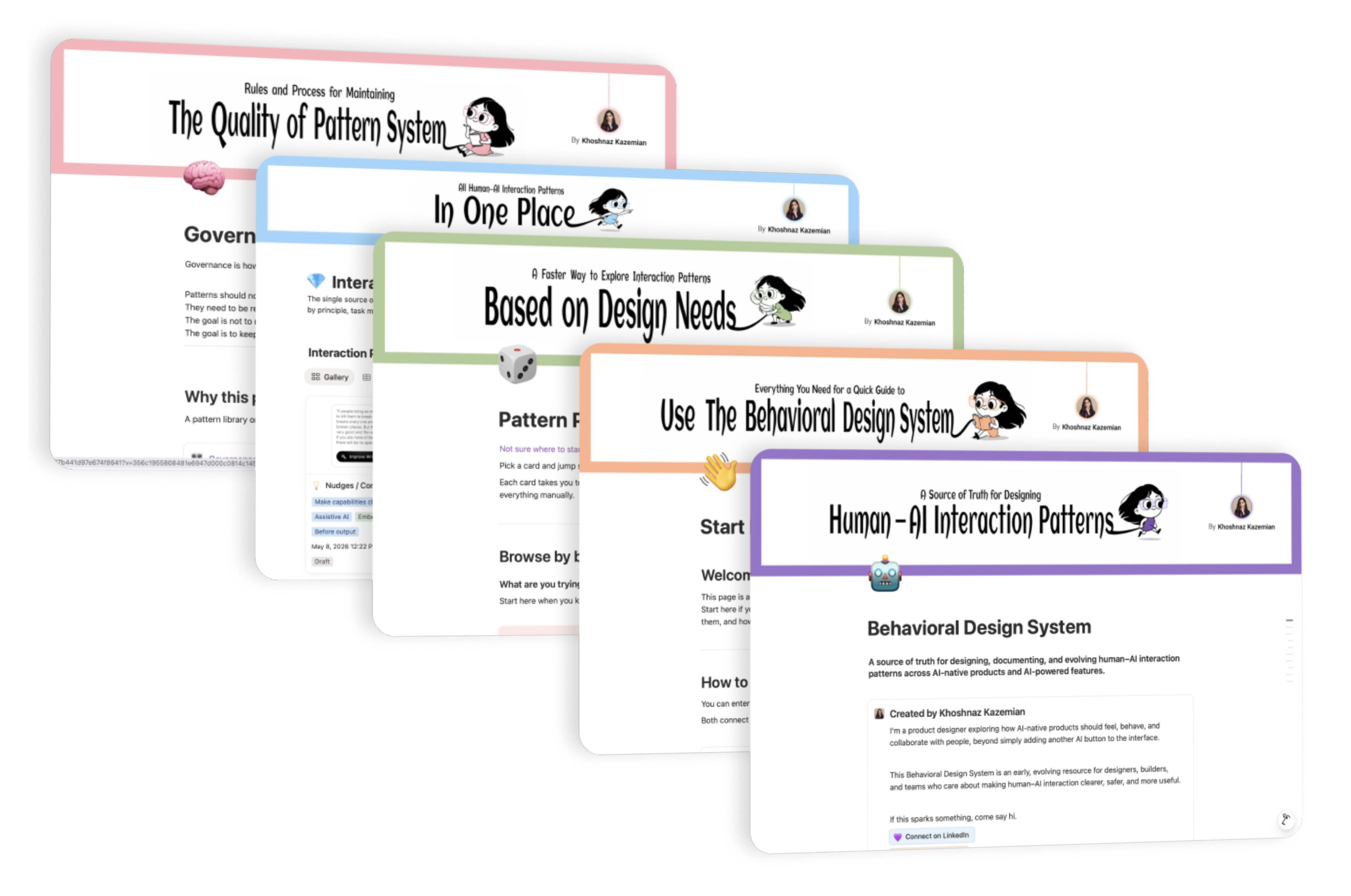
I kept the Notion structure simple on purpose
The system currently has four main areas.
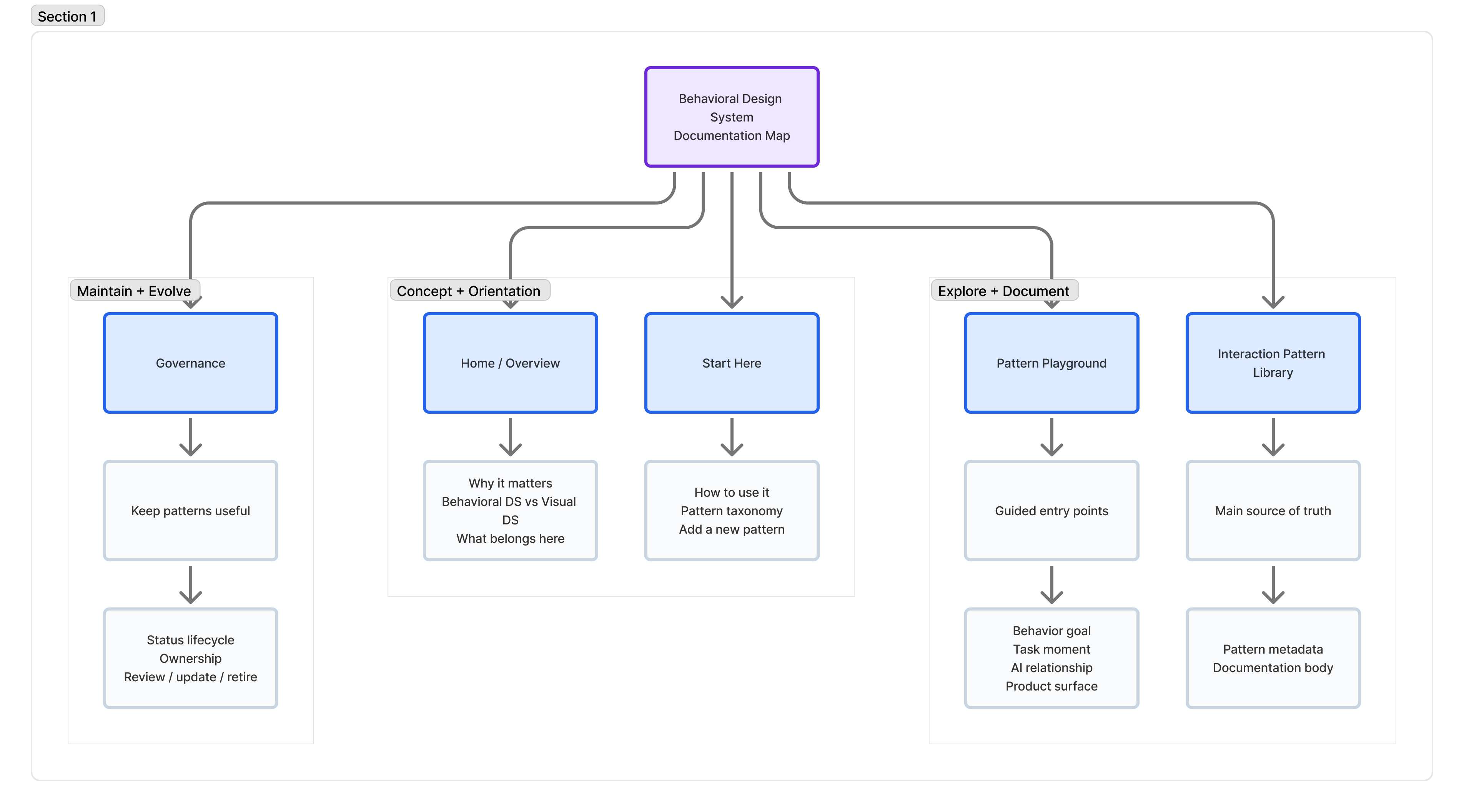
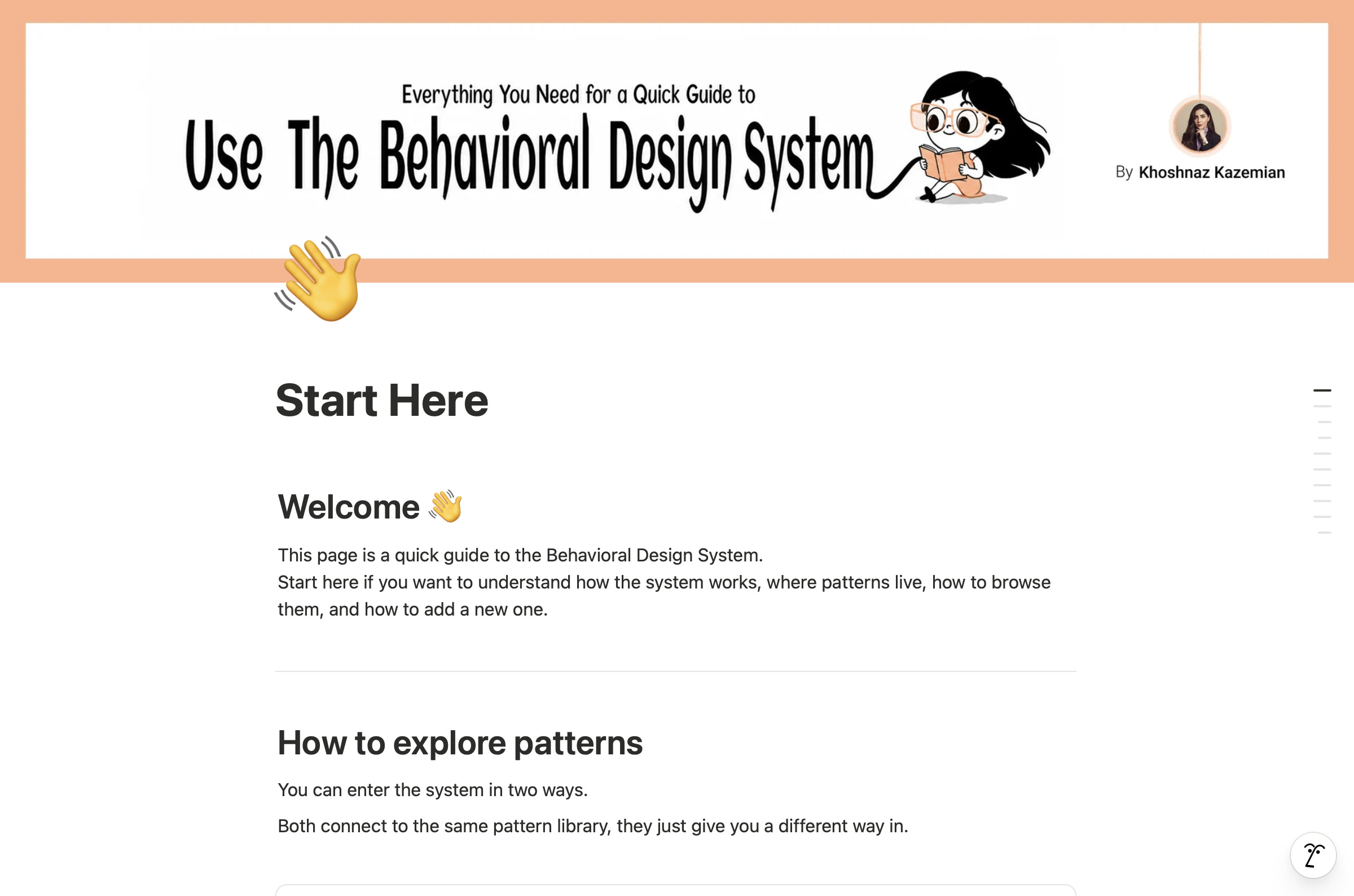
👋 Start Here
This is the onboarding layer.
It explains how the system works, how patterns are organized, and how someone can add a new pattern.
Because if a system needs a long explanation before people can use it, it is already too heavy.
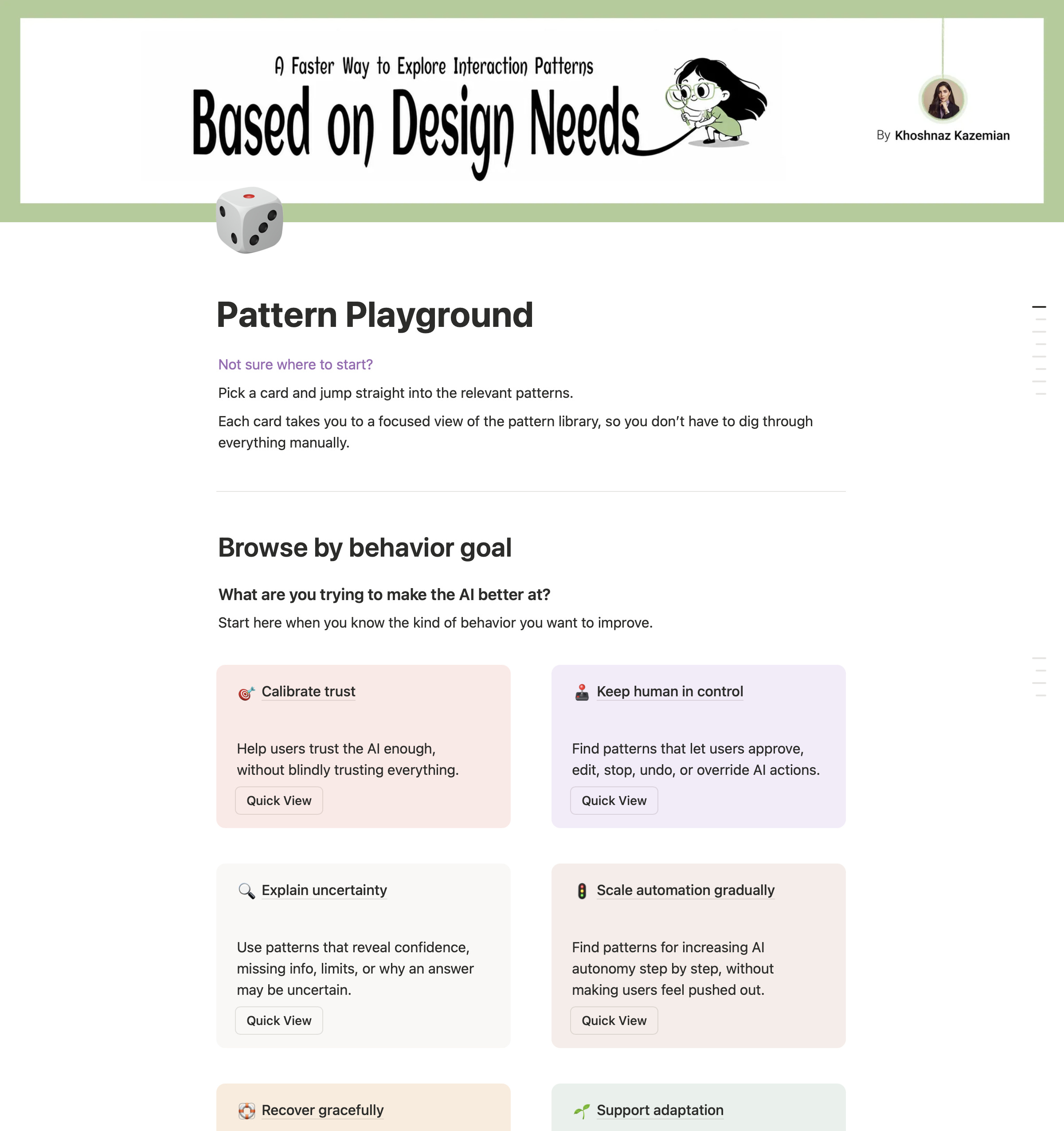
🎲 Pattern Playground
This is the more exploratory way into the library.
Instead of starting from a big database, you can begin from what you are designing:
a behavior principle,
a task moment,
an AI collaboration model,
or a product surface.
It is meant to help people find relevant patterns faster, especially when they do not yet know the exact pattern name.
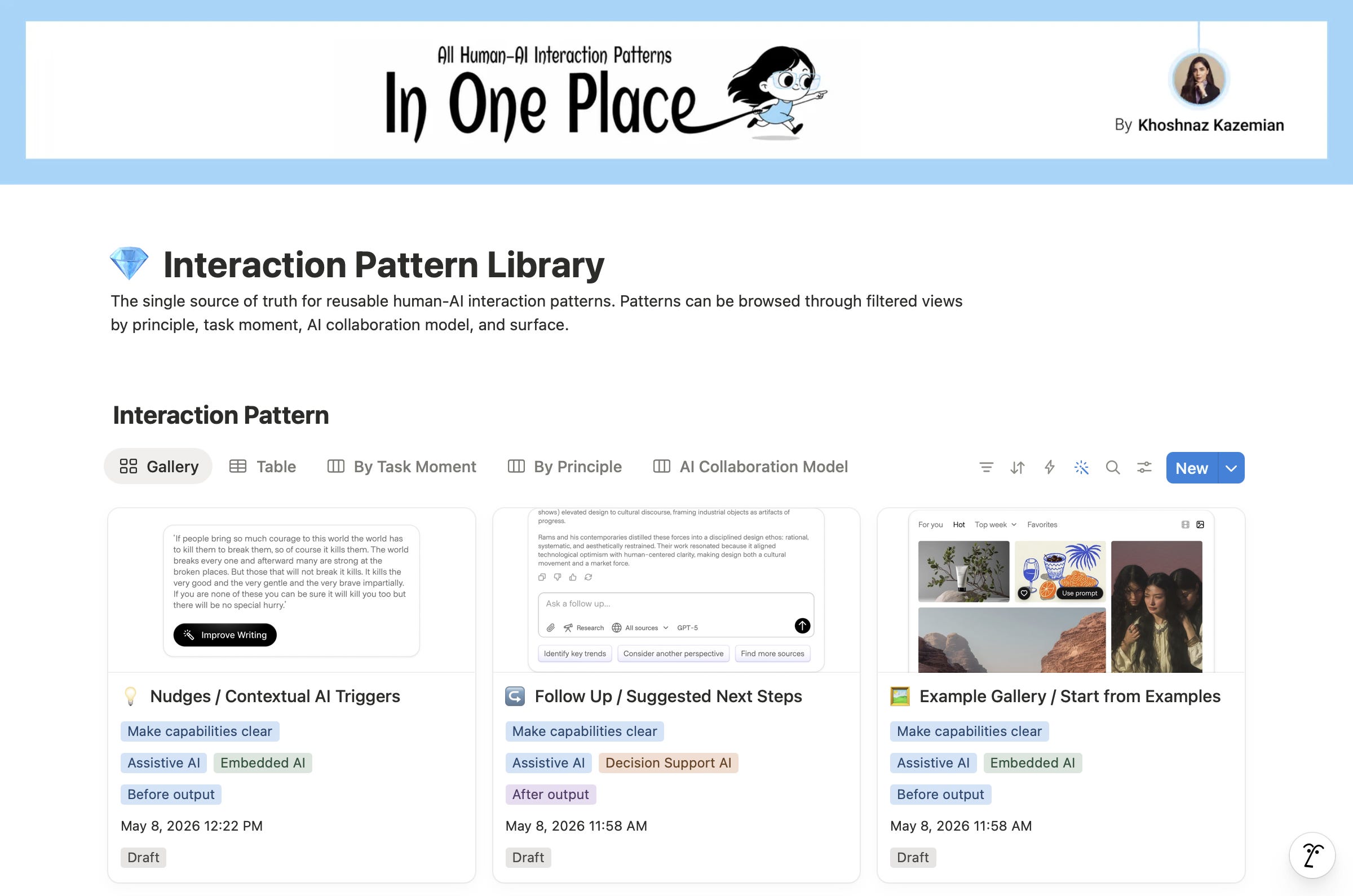
💎 Interaction Pattern Library
This is the main database.
It is where all the human–AI interaction patterns live.
Each pattern has metadata, status, documentation, examples, and implementation notes. The idea is to make patterns easy to filter, compare, reuse, and evolve.
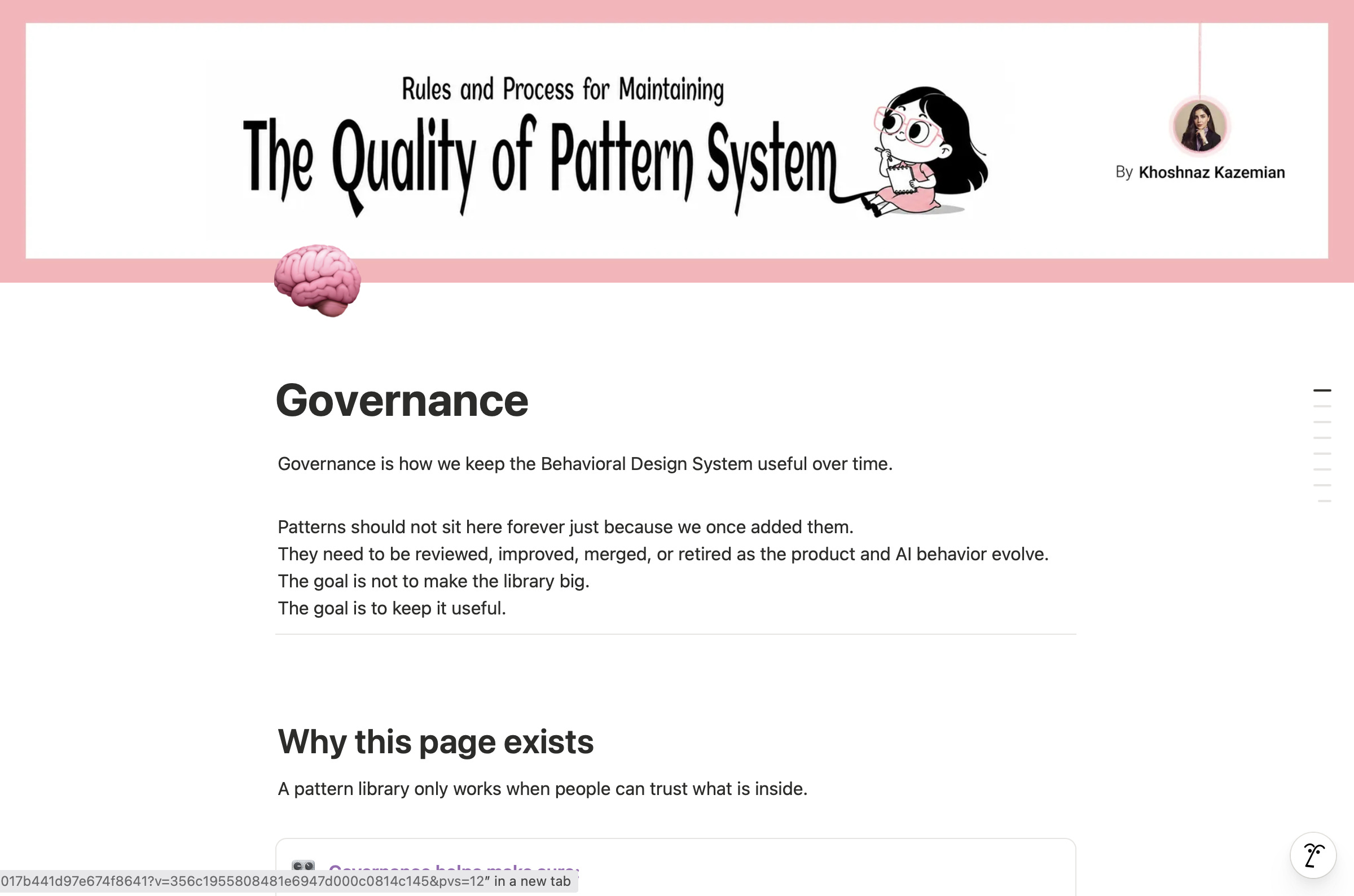
🧠 Governance
This is the maintenance layer.
Because a pattern library should not just grow forever.
Some patterns should be reviewed.
Some should be improved.
Some should be merged.
Some should be retired.
The goal is not to make the system bigger.
The goal is to keep it useful.
The first public version of my Behavioral Design System in Notion.
You can explore the evolving Notion system here:
Then I started adding real patterns
I started by documenting patterns from existing AI products and AI UX references, then translating them into my own structure.
Not as final “rules.”
More like reusable starting points.
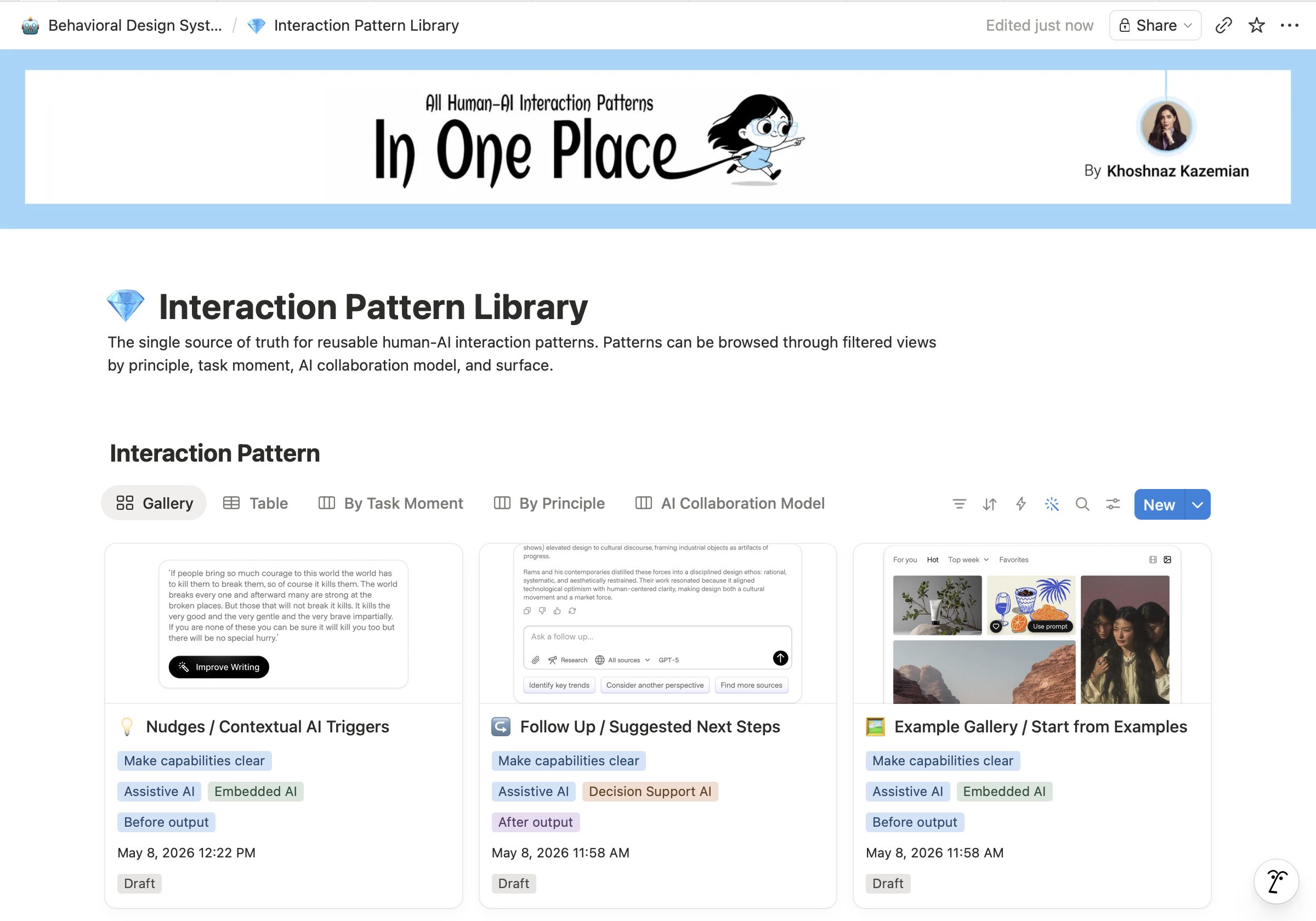
Each pattern can be opened as its own documentation page with examples, notes, and implementation references.
And this is where the Notion system becomes useful: the patterns are not just floating ideas. They are organized, searchable, and ready to connect back to design work.
You can explore, question, adapt, and evolve these reusable human–AI interaction patterns for your own products and workflows.
If you’re curious, you can browse the current Interaction Pattern Library here:
And just to be clear, this is not a rulebook
I do not see this as a fixed framework.
It is not meant to be the final answer to AI interaction design.
It is also not meant to replace judgment.
A pattern can guide a team, but it cannot decide everything for them. Context still matters. Risk still matters. The product’s role still matters. The user’s mental model still matters.
For me, the value of this system is not that it removes thinking.
It creates a better starting point for thinking.
Instead of asking every team to begin from a blank page, it gives them a shared language. ✔️
Here is the pattern.
Here is when it helps.
Here is what can go wrong.
Here is how we usually handle it.
Here is the design reference.
Now let’s decide if it fits this product moment.That is the kind of design system I want for AI.
Why I’m sharing it
I’m sharing this because I think many teams are about to face the same problem.
👫👬😫😰😱😓🧑🤝🧑👭
AI features are moving fast.
Teams are experimenting.
Patterns are emerging.
But the way we document and reuse those patterns is still immature.
A lot of AI design knowledge is scattered across articles, product teardowns, internal decisions, and individual designer judgment.
I wanted to start turning that scattered knowledge into something more structured.
👫👬🤗😇😊🥲🧑🤝🧑👭
Something teams can browse.
Question.
Reuse.
Improve.
Connect to design files.
And eventually govern.
It is still early.
It will evolve.
But I believe this kind of behavioral layer will become more important as AI products become more agentic, more embedded, and more capable of acting on behalf of users.
The more agency AI has, the more carefully we need to design the moments around it.
Not just the interface.
The behavior.
For me, the bigger idea is this
For years, design systems helped us create visual consistency.
Now AI products need behavioral consistency too.
🔴 Because the experience is no longer only about what users see on the screen.
🟢 It is also about what the system does, when it acts, how it explains itself, how it asks for permission, how it handles uncertainty, and how it gives control back to the human.
That is the space I’m exploring with the Behavioral Design System.
A source of truth for designing human–AI interaction patterns.
And hopefully, a small step toward making AI products feel less like unpredictable magic…
and more like thoughtful collaboration.
Hey, the graphics are awesome ... You created it with Ai?